.png)
School Library
Explore the CVPS School Library's catalogue via OPAC or the MySchoolLibrary app to search for books, check availability, and more.
OPAC (Online Public Access Catalogue)
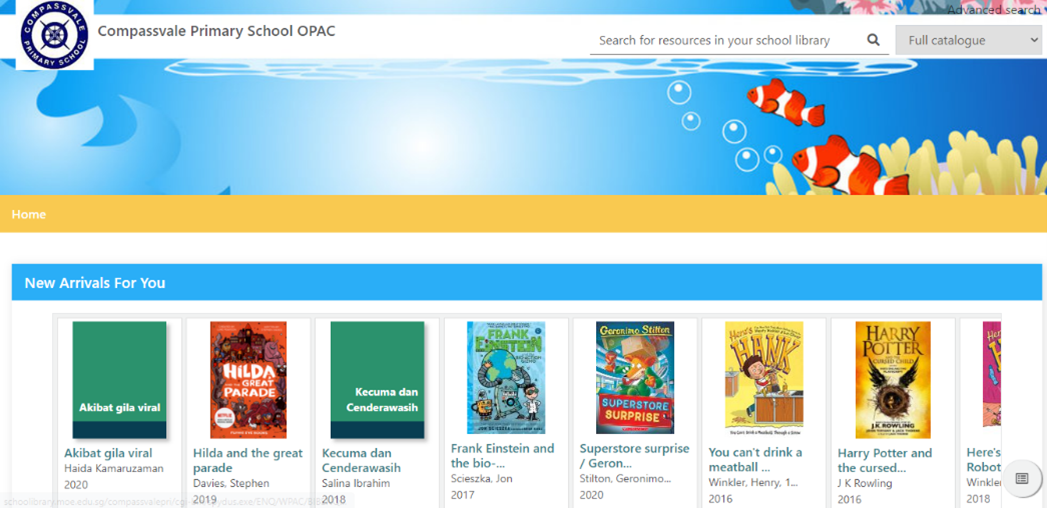
Find out the new arrivals, what’s popular, leave a review, and more by visiting the webpage below. You will be able to view the books without logging in.
[For more information, please click here (opens in new tab)]
“MySchoolLibrary” Mobile App
Functions available: a. Search for books & e-books and check item availability;b. View loans;c. Save a list of favourite titles; andd. “Discover” book recommendations, featured items, new arrivals, and books others have read.
How to download and install
a. Search for ‘MySchoolLibrary’ in the App Store/Play Store.
b. Upon installing the mobile application, select your school library and log in with your OPAC borrower ID and password.
Other Useful Information
Book Loan
Every student can borrow up to 4 books (2 English and 2 Mother Tongue) for 2 weeks.
Students may use an EZ-Link Card or a photocopied version to borrow books.
Book Renewal
Students may renew each book once for another 2 weeks.
Overdue Books
Students cannot borrow more books if they have overdue books for more than a month.
Lost or Damaged Books
Students have to replace lost or damaged books with books of similar value.